
To create an account, you must select which learning experience or experiences you want to enroll in from the catalog. Then, provide the required information on the account creation form.
Once you submit the required information, your account will be created and you will receive an email at email address you provided with a message indicating your account has been created and you have access to the learning experiences you selected. This email will also include your temporary password that must be used the first time you login. You will be prompted to reset your temporary password the first time you login.
Your email address and password are required every time you log in.
Once you are logged in, you can view the My Courses Dashboard that includes all the learning experiences you have enrolled in.
If you want to change anything about your account, such as your name or your password, you must be logged in and click on your name in the upper right corner of the page.
To find a learning experience, browse our list of learning experiences or browse our learning experiences by topic by selecting a topic from the main menu (e.g., Policy Development Learning Experiences, Workforce Development Learning Experiences, Prevention Certification Learning Experiences). To read a full description of a learning experience and view more details, click the “Learn More” button under the learning experience name. The learning experience description page will mention whether a certificate of completion or continuing education credits are available.
To enroll in a learning experience you are interested in, click on the green “Enroll Now” button under the learning experience name OR click the “Click Here to Enroll Now” button on that learning experience’s full description page.
You will then be enrolled in the learning experience and can begin immediately.
(If you are not logged in, you will be prompted to login, or create an account if you do not have one.)
If you leave a course or other learning experience open, walk away, and then return the next day, your connection is no longer be active, even though the page might still appear on your computer screen. In this case, you will need to close the learning experience, log in to their account again, and resume your learning experience.
If you step away from a learning experience for a period of time, return, and continue making progress, the platform may not save all new progress that you made since returning. To ensure that you do not lose any progress you have made, you should completely close out of the learning experience each time you walk away.
We do not provide SCORM files outside of this platform. We can create customized versions of courses, which involves a fee to cover our costs.
While we make every effort to make sure our learning experiences are as accessible as possible to the many different kinds of devices and browsers, some older browsers may not run the learning experiences correctly.
We highly recommend that you make sure your browser is updated to the latest version in order to avoid possible errors with the website/learning experiences.
If you do not have the latest version of these browsers, you can download them for free here:
While we do not believe that any of our current learning experiences meet CCS ethics training requirements, you might try searching through upcoming training/events through the ATTC Network here:
http://www.attcnetwork.org/calendar/search.aspx
You can also contact your ATTC Regional Center to see if they have any upcoming training on ethics. You can locate your Regional Center here:
https://attcnetwork.org/centers/pacific-southwest-attc/regional-links
You can find contact information for all 50 states at https://attcnetwork.org/centers/global-attc/about-attc-network
CONTACT US:
Before you have completed your learning experience, you will be unable to see your certificate. A locked certificate will be included in your list of lessons.
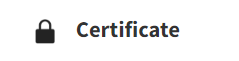
If you have passed all modules in a learning experience with an 80% or better, your certificate should then be available to you.

You will then be able to click on the “Certificate” link to download and print or save your certificate.
Please make sure that you have the most current version of Adobe Reader installed. You may Install/Update that for free here: http://get.adobe.com/reader/
There are currently known compatibility issues with embedded .PDF files in Safari. We recommend you download and use:
Firefox: http://www.mozilla.org/en-US/firefox/new/
Or Google Chrome https://www.google.com/intl/en/chrome/browser
Your username is always your email address (all lowercase). If you’ve taken one of our learning experiences before, as long as your login has been used within the past six months, it will still be active and you can get your password reset by clicking on the “Forgotten your username or password?” link on the login page.
If the email/username is active in our system, you will receive an email with a temporary password, which can be used to log in and then change your password. If you don’t receive an email with a temporary password, please contact us for a manual password reset.
The basic requirements to access our learning experiences are a computer with speakers and web access. Performance varies depending upon the computer power and internet connection speeds. The following are recommended requirements:
Computer:
Microsoft Windows 2000 or higher, with Intel Pentium II 450 MHz and 256MB of RAM, OR
Macintosh PowerPC® G3 500MHz or Intel Core Duo 1.33GHz and 256MB of RAM, OR
Linux 800 MHz with 512MB of RAM, 128MB of graphics memory
Display resolution of 1024 x 768 (minimum)
Speakers or Headphones
Adobe Flash Player version 10 or higher
Adobe Acrobat Reader
Web Access:
Broadband internet connection (1.5 Mbps or faster recommended)
Internet Explorer 6.0 or higher, OR
Firefox 1.5 or higher, OR
Opera 6 or higher, OR
Other modern web browser
Still need help accessing online training? Contact Us.
info@irtinc.us
Phone
919-493-7700
